Dual-Stream Reaction Test: Measuring Divided Attention Under Pressure
Most reaction time tests measure how fast you respond to one thing at a time. But real life rarely works that way. You're driving while checking mirrors. You're in a meeting while monitoring your phone. You're gaming while tracking teammates and enemies. The Dual-Stream Reaction Test measures something fundamentally different: your ability to process two independent information channels simultaneously.
This isn't just about being fast—it's about maintaining performance when your attention is genuinely divided. Unlike simple or choice reaction tests that present one stimulus at a time, dual-stream testing creates two completely independent channels that can (and do) demand responses at the same moment.
Why Single-Stream Tests Miss the Picture
A basic reaction time test tells you how quickly you can respond when nothing else is competing for your attention. That's useful, but it doesn't capture what happens when cognitive resources get stretched across multiple demands.
The dual-stream format changes everything. Each side of the screen operates independently—stimuli appear on their own schedules, and both sides can present targets simultaneously. This creates a fundamentally different cognitive challenge than serial presentation, where you only handle one stimulus at a time.
Research on dual-task performance consistently shows that when people attempt to process two stimuli simultaneously, reaction times slow noticeably compared to single-task conditions. This "dual-task cost" reflects the brain's limited capacity for parallel processing—and training may help reduce this cost over time.
What the Test Actually Measures
Divided Attention Capacity
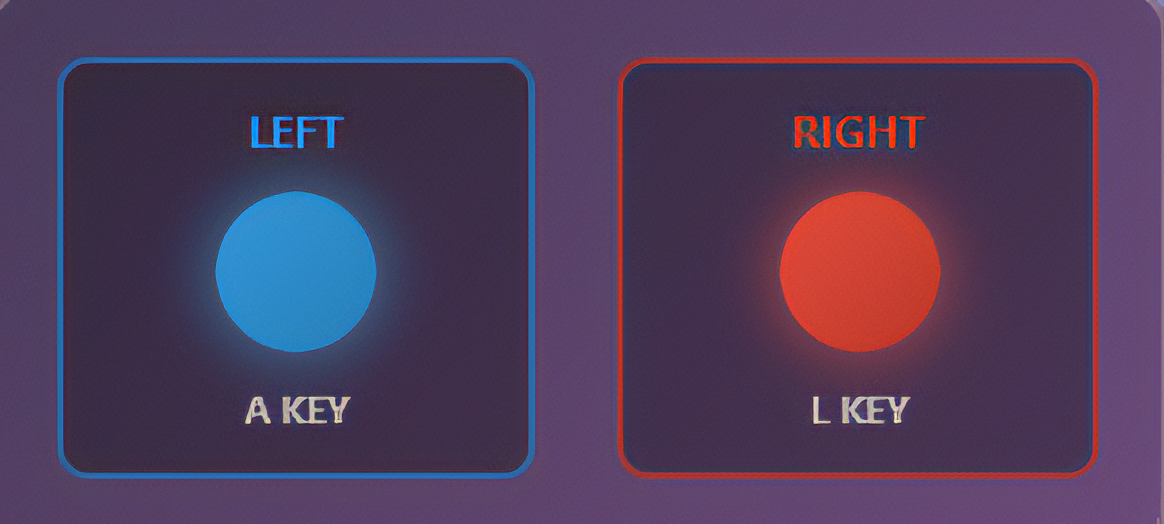
The test splits your screen into left and right streams. Each stream shows stimuli (numbers, shapes, or colors) at random intervals. You respond to the left stream with the A key or left arrow, and to the right stream with the D key or right arrow. The challenge is that you can't predict which side will need attention next—or whether both will demand responses at once.
Your divided attention capacity shows up in the gap between your single-task reaction time and your dual-stream performance. Compare your results here to your score on the basic reaction time test—the difference reveals how much dividing attention costs you personally.
Selective Attention Under Load
The test adds another layer through filtering. You can set each stream to require responses only to specific stimulus types—numbers only, shapes only, or colors only. This means you're not just monitoring two streams; you're applying different rules to each one.
When the left stream requires "numbers only" while the right stream requires "shapes only," you're exercising selective attention on top of divided attention. You must simultaneously monitor both channels while filtering irrelevant stimuli according to different criteria for each side. This mirrors real situations like monitoring security feeds where different screens require attention to different threat indicators.
Response Inhibition Across Channels
When a non-target appears—say, a shape in your "numbers only" stream—you need to suppress the automatic tendency to respond. This inhibitory control gets harder when you're already dealing with divided attention demands. The test tracks "wrong" responses (pressing for non-targets) and "false alarms" (pressing when nothing appeared), giving you concrete feedback on inhibition failures.
This connects to the same inhibitory mechanisms trained in the Go/No-Go test, but under the additional pressure of dual-stream monitoring.
The Science Behind Dual-Task Costs
Why does dividing attention slow us down? Research on cognitive bottlenecks points to several mechanisms.
One theory suggests a "central bottleneck" in response selection—the brain can only select one motor response at a time, so when two stimuli require simultaneous responses, one must wait. Another perspective emphasizes resource sharing, where attention functions like a limited pool that gets divided between competing tasks.
The practical result is consistent: dual-task performance costs are real, measurable, and—importantly—trainable. Studies on video game players and other populations with extensive divided attention practice suggest that this cost can be reduced with experience, though likely never eliminated entirely.
Who Benefits from Dual-Stream Training
Gamers and Esports Competitors
Competitive gaming constantly requires split attention—tracking your own character while monitoring teammates, watching the minimap while aiming, managing cooldowns while positioning. The dual-stream format directly trains the kind of parallel monitoring that separates high-level players from casual ones. For more on gaming-specific training, see our guide on why filtering matters more than pure speed.
Drivers and Pilots
Operating a vehicle means processing multiple information streams: the road ahead, mirrors, instruments, traffic signals, and potential hazards from all directions. Training divided attention may help build the monitoring habits that keep you safer when attention demands spike suddenly. For more on reaction time and driving, see why reaction time matters for defensive driving.
Security and Monitoring Professionals
Anyone watching multiple camera feeds, data streams, or control panels faces exactly this challenge: maintaining vigilance across independent channels where any one might require immediate response. The selective filtering aspect of the test directly mirrors situations where different screens require attention to different criteria.
Anyone Working on Multitasking Skills
Even daily work often requires juggling—responding to messages while following a meeting, monitoring email while working on a document. While true simultaneous processing may be limited, training divided attention can help you switch between demands more efficiently and notice when critical information appears in peripheral channels.
How to Train Effectively
Start with Both Streams on "Any"
When both streams accept any stimulus, you're training pure divided attention without the added cognitive load of filtering. This establishes your baseline for splitting focus. Most people find their reaction times increase noticeably compared to single-task testing—that's normal and expected.
Add Filtering Gradually
Once you're comfortable monitoring both streams, set one side to filter (e.g., "numbers only") while keeping the other on "any." This adds selective attention demands asymmetrically. When that feels manageable, set both sides to different filters for maximum cognitive challenge.
Watch Your Error Patterns
The test tracks hits, misses, wrong responses, and false alarms separately for each stream. If one side consistently performs worse, it may indicate a lateral attention bias worth addressing. If you're getting many "wrong" responses, you're not filtering effectively. Many "misses" suggest you're not monitoring that stream frequently enough.
Keep Sessions Short
Divided attention is cognitively exhausting. The test offers 15, 30, 45, and 60-second sessions. Start with shorter sessions and build up. Multiple focused short sessions with breaks between them will likely produce better training than one long exhausted attempt.
Track Both Speed and Accuracy
The test reports hit rate (correct responses divided by targets) and precision (correct responses divided by all your key presses). High hit rate with high precision indicates solid performance. High hit rate with low precision suggests you're pressing too liberally for non-targets. Low hit rate means you're missing targets, possibly from insufficient monitoring.
Understanding Your Results
After each session, you'll see separate metrics for left and right streams, plus combined performance. Key numbers to watch:
Combined Average RT — Your overall speed across both streams. Compare this to your single-stream reaction time to see your personal dual-task cost.
Hit Rate per Stream — What percentage of targets did you successfully respond to? Low hit rates suggest you're missing too many targets, possibly from insufficient monitoring of that stream.
Precision per Stream — What percentage of your key presses were correct? Low precision indicates too many wrong responses or false alarms.
Left vs Right Asymmetry — Most people show some difference between streams. Consistent large gaps in hit rate may indicate attention bias worth addressing through practice.
Common Questions
How does this compare to the Multitask Reaction Test?
The Multitask Reaction Test adds a continuous secondary task (playing brick breaker) while responding to reaction stimuli. The Dual-Stream test instead creates two equivalent reaction streams that both demand the same type of response. Both train divided attention, but through different mechanisms.
Why are my times so much slower than basic reaction tests?
That's expected. Dual-task costs are real—your brain has limited parallel processing capacity. Slower performance compared to single-task testing is normal. What matters is reducing this cost over time and maintaining accuracy under load.
Should I prioritize one stream over the other?
Not intentionally. The goal is balanced monitoring of both streams. If you find yourself naturally favoring one side, consciously practice attending to the weaker stream until performance equalizes.
How do I know if I'm improving?
The test saves your recent sessions, so you can compare over time. Look for your dual-task cost (the gap between this test and basic reaction time) shrinking, your hit rates increasing, and your precision staying stable or improving as you add filtering complexity.
Final Thoughts
Single-stream reaction tests measure one thing well: pure response speed. But real cognitive demands rarely arrive in neat, single-file order. The Dual-Stream Reaction Test measures something equally important: your ability to maintain performance when attention must genuinely split.
Whether you're training for gaming, driving, professional monitoring, or just want to sharpen your multitasking capacity, dual-stream testing provides concrete feedback on divided attention that single-task tests simply can't capture. Start with basic divided attention, add filtering progressively, and track your improvement over time.